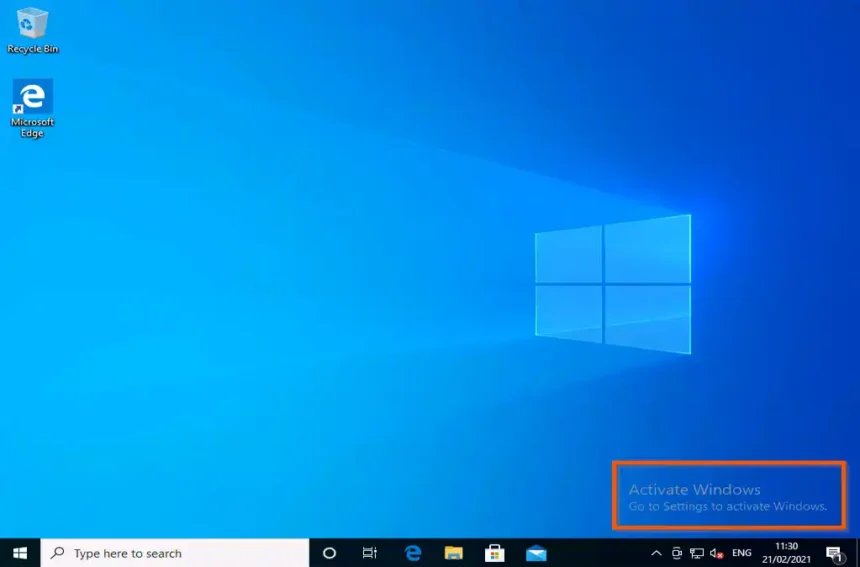
Windows 10 Product Key For Activate Windows
Last updated: 15 October 2026 | Reading time: 7 minutes
Activation turns a trial or unlicensed Windows into a genuine, fully working copy. This guide shows every official way to use a Windows 10 product key to activate Windows 10 Pro or Home: from Settings, during installation, with the slmgr command and by phone. It also covers fixes for common errors. Use a key that you own, such as one that came with your PC or that you bought from Microsoft or an authorized seller.
Before You Start
- Check your edition at Settings > System > About. The key must match it (Home or Pro).
- Connect to the internet for online activation.
- Keep your key ready. A key has 25 characters in 5 groups of 5.
- Back up important files before changing editions.
windows 10 pro activation key
Windows 10 Pro can be activated in four official ways. Choose the one that fits your situation.
Method 1: Activate From Settings
- Press Windows + I to open Settings and go to Update & Security > Activation.
- Click Change product key.
- Type the 25-character key as XXXXX-XXXXX-XXXXX-XXXXX-XXXXX and click Next.
- Click Activate and wait for the confirmation message.
- Restart the PC if Windows asks you to.
Method 2: Enter The Key During Installation
- Boot from the Windows 10 installer and begin setup.
- When asked for a product key, type your 25-character key and click Next.
- Choose the matching edition and finish the installation.
- Windows activates automatically once you are online.
Method 3: Activate With The slmgr Command
Open Command Prompt as administrator, then run these commands one by one. Replace the placeholder with your own key.
slmgr /ipk XXXXX-XXXXX-XXXXX-XXXXX-XXXXX
slmgr /ato
slmgr /xpr
| Command | What It Does |
|---|---|
| slmgr /ipk | Installs the product key |
| slmgr /ato | Activates Windows online |
| slmgr /xpr | Shows the activation status |
Method 4: Activate By Phone
- Press Windows + R, type slui 4 and press Enter.
- Select your country or region.
- Call the toll-free number shown on the screen.
- Give the installation ID and enter the confirmation ID you receive.
windows 10 home product key
Windows 10 Home uses the same steps. Most branded laptops already have a Home license stored in the firmware, so a clean install often activates by itself without typing a key.
Find The Key Already Stored In Your PC
(Get-CimInstance -Query 'select * from SoftwareLicensingService').OA3xOriginalProductKey
Run it in PowerShell. If nothing is shown, your PC probably uses a digital license.
Upgrade Windows 10 Home To Pro
Enter a valid Windows 10 Pro key in Settings > Update & Security > Activation > Change product key, or buy the Pro upgrade from the Microsoft Store. The PC restarts and your files and apps stay.
windows 10 pro product key download
A product key itself is not downloadable, but you can download the Windows 10 installer from Microsoft and then use your key to activate it.
- Visit the official page: Microsoft Windows 10 Download (check availability, as it may change after end of support).
- Use the Media Creation Tool to create a bootable USB drive or download the ISO.
- Install Windows 10 and select the Home or Pro edition that matches your key.
- Activate it with any method above.
Fix Windows 10 Activation Problems
| Error / Problem | Cause | Solution |
|---|---|---|
| 0xC004F050 | Key not valid or mistyped | Re-enter the key and check the edition |
| 0xC004C003 | Key is blocked | Contact the seller or Microsoft support |
| 0x803F7001 | No valid license found | Sign in with the account used earlier or enter a valid key |
| Changed hardware | Digital license no longer matches | Run the Activation troubleshooter and choose I changed hardware recently |
| Cannot connect | No internet or server issue | Check the connection or use phone activation |
Run The Activation Troubleshooter
Go to Settings > Update & Security > Activation and click Troubleshoot when Windows shows an activation error. Signing in with your Microsoft account links the digital license to it, which helps after a hardware change.

Why Not Use Free Keys Or BAT Files
- Shared keys are used by many people and get blocked, so activation fails or is removed.
- BAT and activator files can hide malware that steals passwords.
- Bypassing licensing is piracy and is unsafe for a CSC, cyber cafe or office.
- Buy a genuine license from Microsoft or an authorized seller. Very cheap keys are often invalid.
Frequently Asked Questions
Conclusion
To activate Windows 10, use a genuine product key through Settings, setup, the slmgr command or phone activation. Match the key to your edition, download Windows only from Microsoft and avoid free key lists and BAT activators.