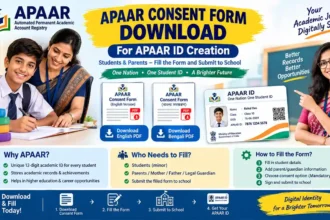
APAAR ID CREATE ONLINE
Automated Permanent Academic Account Registry
A complete and easy-to-understand guide for students, parents, schools, colleges and educational institutions.
⚠️ Important Information About APAAR ID
APAAR ID is a unique 12-digit academic identity created for students under the Government of India’s “One Nation, One Student ID” initiative. It is intended to help students securely store, access and use academic records throughout their educational journey.
The official APAAR system states that student information such as the PEN, name, date of birth, gender, mobile number, parent details and Aadhaar information may be required for generation. The student’s name in UDISE+ records should match the Aadhaar record, and PEN is mandatory for generation.
🎥 Watch APAAR ID Create Online Guide
📚 What Is APAAR ID?
APAAR stands for Automated Permanent Academic Account Registry. It is a unique academic identity system designed for students in India.
The official APAAR platform describes the ID as a unique and permanent 12-digit identity that can help students digitally store, manage and access academic achievements such as marksheets, gradesheets, certificates, diplomas, degrees, credits and other educational accomplishments.
Unlike a temporary school roll number or admission number, APAAR is designed to remain connected with the student’s academic journey across different stages of education.
Think of APAAR ID as a digital academic identity that helps connect a student’s verified educational records with the national digital education ecosystem.
⭐ Why Is APAAR ID Important for Students?
Academic Identity
Provides a unique 12-digit identity connected with the student’s academic journey.
Digital Records
Helps digitally store and access academic records and achievements.
Academic Mobility
Supports smoother movement of verified academic information between institutions.
Secure Access
APAAR is integrated with digital systems such as DigiLocker for access to issued records.
👨🎓 Who Should Have an APAAR ID?
APAAR is designed for students across India’s education system. The official APAAR platform describes it as a specialized identification system for students in India.
Classes and school-level learners
Undergraduate learners
Higher education learners
Eligible learners in recognised education/skill ecosystems
✅ Is APAAR ID Mandatory?
APAAR is being integrated into student registration and academic processes, but the exact requirement depends on the education board, institution and particular process.
For example, CBSE approved linking APAAR IDs with Class IX/XI registration and Class X/XII List of Candidates (LOC) processes and stated that APAAR ID use would be compulsory for the relevant registration/LOC process. CBSE subsequently issued provisions concerning APAAR-linked LOC data and implementation.
Therefore: if your school, college or university has asked you to create or submit an APAAR ID, it is important to complete the process within the institution’s specified timeline.
📋 Documents & Information Required
Before APAAR ID generation, students and parents should keep the required information ready. The official APAAR FAQ lists the following details as mandatory for APAAR ID creation.
| Information | Why It Matters |
|---|---|
| PEN / UDISE+ Student ID | Required for APAAR generation. |
| Student Name | Should match the relevant student records. |
| Date of Birth | Used for identity and demographic verification. |
| Gender | Part of the student demographic information. |
| Mobile Number | Used as part of the required student information. |
| Parent Details | Mother’s and father’s names may be required. |
| Aadhaar Information | Required for identity authentication and matching. |
🚨 Name Matching Is Very Important
One of the most common reasons for APAAR generation failure is a mismatch between the student’s academic information and Aadhaar information.
According to the official APAAR FAQ, the student’s name in UDISE+ records should match the name in Aadhaar, and PEN is mandatory for generating the APAAR ID.
🧑🏫 How APAAR ID Creation Works
For school students, APAAR creation is primarily connected with the student’s school and UDISE+ records rather than being simply an independent form that every student can generate without institutional verification.
Student Data
The school maintains the student’s demographic and academic information.
Consent
Parental consent is required for minors as part of the APAAR creation process.
Authentication
The student’s identity and demographic information are authenticated.
APAAR Generated
After successful verification, the APAAR ID is generated and pushed to DigiLocker.
This workflow is described on the official APAAR website.
📱 APAAR ID and DigiLocker
Once an APAAR ID is successfully generated, the official APAAR platform says it is pushed into the student’s DigiLocker account. Students can find the virtual APAAR ID card in the Issued Documents section of DigiLocker.
If your APAAR ID has already been generated but you cannot see it immediately in DigiLocker, do not create another ID unnecessarily. First check the status through your school/institution or the relevant official system.
🌟 Major Benefits of APAAR ID
- One academic identity: A unique 12-digit identity can remain associated with the student’s educational journey.
- Digital academic records: Helps students manage educational achievements digitally.
- Academic credit management: Supports the broader Academic Bank of Credits ecosystem.
- Student mobility: Can help academic information move more efficiently between educational institutions.
- Verification: Helps institutions work with authenticated academic information.
- Reduced paperwork: Digital access can reduce dependence on repeatedly carrying physical academic documents.
- Long-term academic identity: APAAR is intended to function throughout a student’s educational and professional journey.
These uses and benefits are described by the official APAAR platform.
🔎 APAAR ID vs ABC ID
Students often confuse APAAR ID with ABC ID. They are closely connected but should not simply be treated as exactly the same concept.
| APAAR ID | Academic Bank of Credits |
|---|---|
| Unique academic identity for the student | System for managing academic credits |
| 12-digit student identifier | Academic credit ecosystem |
| Connects academic achievements with the student’s digital identity | Supports accumulation and transfer of academic credits |
❌ Common APAAR ID Problems
Student name in Aadhaar and academic records may not match.
Date of birth differences can cause verification problems.
PEN is mandatory for APAAR generation.
The school may need to update or correct UDISE+ student information.
The ID may need to be checked with the school or official APAAR system.
Incorrect or inconsistent demographic information may stop generation.
🛠️ What If APAAR ID Creation Fails?
Do not repeatedly submit incorrect information. The official APAAR FAQ says that generation can fail when demographic information does not match, including discrepancies between Aadhaar and academic records. The inaccurate information should be corrected and the request resubmitted.
For school students, the first point of contact should generally be the school administration/class teacher or the designated APAAR/UDISE+ authority, because schools are responsible for verifying and updating student information in the APAAR implementation process.
🔍 How to Check APAAR ID Status
Students can check whether the APAAR ID has been generated through the appropriate official education system or by asking the school/institution to verify the student’s APAAR status.
The official APAAR platform states that once generated, the APAAR ID is pushed to DigiLocker and the virtual APAAR ID card can be found under the student’s Issued Documents. Status can also be checked through the APAAR module in the UDISE+ system by authorised school personnel.
🔐 Safety Tips for Students & Parents
- Use only the official APAAR website and authorised education systems.
- Never share Aadhaar OTP with an unknown person.
- Do not provide your Aadhaar details to unofficial websites claiming to generate APAAR ID.
- Check the spelling of your name and date of birth carefully.
- Do not create duplicate IDs because of a temporary status or display problem.
- For minors, follow the parental-consent process communicated by the school.
- Keep your DigiLocker account secure.
🌐 Official APAAR Resources
For accurate information, students should rely on official government platforms rather than random websites or social-media posts.
APAAR Official Helpline
The official APAAR contact page provides this helpline number for assistance.
❓ Frequently Asked Questions
🎓 Don’t Ignore Your APAAR ID
Keep your student information accurate, coordinate with your school or educational institution, and check your DigiLocker account after successful APAAR generation.
VISIT OFFICIAL APAAR WEBSITE