
Print BanglarBhumi records on a clean A4 page, in one click
A browser extension that takes the khatian and plot details from BanglarBhumi and lays them out as a tidy printout or PDF, with your total share and total area highlighted in green.
₹100 for 90 days · One product key works on one computer only
খতিয়ান ও দাগের তথ্য
District: Sample · Block: Sample · Mouza: Sample
| দাগ নং | জমির শ্রেণী | অংশ | পরিমাণ (একর) |
|---|---|---|---|
| ১০ | শালি | ০.৫ | ০.১২৫০ |
| ১১ | ডাঙ্গা | ০.২৫ | ০.০৭৫০ |
What you get
Everything works inside your own browser, on the BanglarBhumi page you already use.
- Clean A4 printHeader with district, block and mouza, then the khatian and plot table.
- Totals highlighted in greenTotal share and total area (acre) are added up for you, so they are never left blank.
- Print or save as PDFUse Print Now, or Download PDF to keep a copy.
- HistoryOpen your earlier records again from the extension popup.
- Works in Chrome, Edge and BraveAny desktop browser that can load an unpacked extension.
- Simple licencePay once for 90 days. Your key is made for your computer only.
Install it in your browser
Takes about two minutes. You do this once.
Download and extract the ZIP
Click Download extension above. Right-click the ZIP and choose Extract All. You will get a folder named
BanglarBhumiPrint5.0.Open the extensions page
In your browser’s address bar type
chrome://extensionsand press Enter. (Edge:edge://extensions, Brave:brave://extensions)Turn on Developer mode
Switch on Developer mode using the toggle at the top right of the page.
Click “Load unpacked”
Choose the extracted
BanglarBhumiPrint5.0folder, the one that containsmanifest.json. The extension now appears in your list.Pin it and open it
Click the puzzle icon in the toolbar, pin BanglarBhumi Print Tool, then click it. You will see your Machine ID. Keep this popup open for the next part.
Do not delete or move the extracted folder after installing. The browser runs the extension from that folder.
Get your product key
Pay on the QR code, then send us three things on WhatsApp.
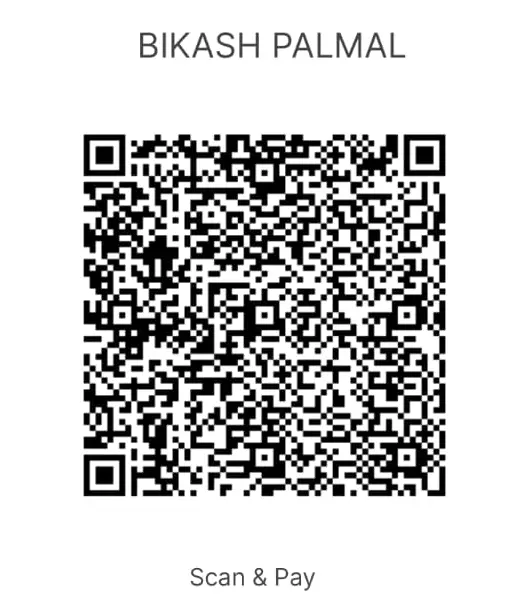
Scan and pay ₹100
Pay ₹100
Scan the QR code with any UPI app and pay exactly ₹100.
Take a screenshot
Screenshot the successful payment screen.
Send on WhatsApp to 9932472151
- Payment screenshot
- Your Machine ID (from the extension popup)
- Your name
Paste the key and activate
You will receive a product key. Paste it into the extension popup and press Activate. It works for 90 days from the day it is issued.
Questions
Can I use one key on two computers?
No. Each key is made for one Machine ID. On any other computer it shows “This key belongs to a different system.”
I removed and re-installed the extension. Now my key fails.
Re-installing, or clearing the extension’s data, creates a new Machine ID. Send the new Machine ID on WhatsApp 9932472151 to get a new key.
What happens after 90 days?
The tool locks and asks for a product key again. Pay ₹100 and send your Machine ID to get a fresh 90-day key.
Where do I find my Machine ID?
Click the extension icon in your browser toolbar. The Machine ID is shown in the box with a Copy button.
I do not see “Load unpacked”.
Turn on Developer mode first (top right of the extensions page). Then the Load unpacked button appears.
