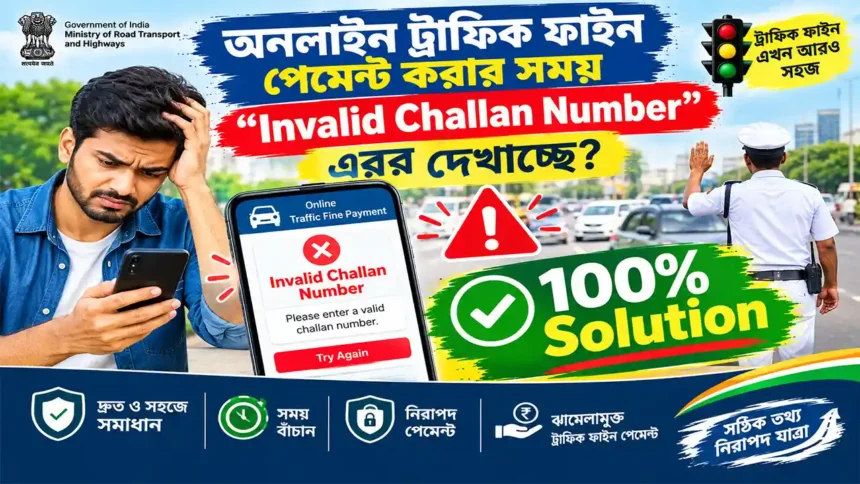
INVALID CHALLAN NUMBER ERROR? Get 100% Solution
Pay Your Traffic Fine Online Through the NextGen eChallan Payment Portal
Check challan status, make payment, download challan print, get payment receipt and resolve transaction or grievance-related problems.
⚠️ Seeing “Invalid Challan Number”?
If you are trying to pay a traffic fine online and the website shows an “Invalid Challan Number”, “Challan Not Found” or similar message, do not immediately assume that your challan has disappeared.
The result can depend on the challan details entered, the vehicle/DL information, the state or department handling the challan, whether the record has reached the online system, or whether there is an unresolved payment transaction.
🌐 Now Use Official NextGen eChallan Portal
The official eChallan system is operated as a Government of India initiative of the Ministry of Road Transport & Highways (MoRTH), with the platform maintained by NIC.
The official portal currently warns users to beware of fraudulent websites and mobile applications impersonating the eChallan service. Always verify that you are using the official government portal before entering challan, vehicle, Aadhaar, OTP or payment information.
❓ Why Does “Invalid Challan Number” Appear?
There is not necessarily one single reason for an invalid challan message. Check the following possibilities before assuming there is a problem with the fine itself.
Incorrect Number
One incorrect digit or character can cause the challan lookup to fail.
Vehicle Details
The vehicle registration information may not correspond with the challan record.
Record Not Available
A recently issued challan may not yet be available in the online record you are querying.
Payment Issue
A previous payment attempt may have created a pending transaction that needs checking.
State / Department
The challan may be associated with a particular state or enforcement department.
Temporary Issue
A temporary portal or connectivity issue can also prevent a successful lookup.
🛠️ What Can You Do on the NextGen eChallan Portal?
The NextGen eChallan system provides several citizen-facing services for checking, paying and following up on traffic challans.
Check Pending Challan Status
Find pending challans using the available challan, vehicle or driving licence search options.
Pay Challan
After retrieving the pending challan details, eligible challans can be paid online.
Download Challan Print
Access the challan information and obtain a printable copy where available.
Download Payment Receipt
Keep your successful payment record and receipt for future reference.
Check Pending Transaction
Check whether a previous payment transaction is still pending or requires verification.
Raise Grievance
Submit a grievance when you have a challan-related issue requiring official attention.
Check Grievance Status
Track the status of a previously submitted grievance.
🔍 Check Your Pending Challan
If you are receiving an invalid challan number error, the first useful check is to search the official system again using the available identification options.
Available Search Options
- Challan Number
- Vehicle Number
- Driving Licence Number
The official challan-status interface currently provides these search choices and displays challan details such as challan number, vehicle/RC number, date, amount, status, owner, state, department and challan location.
💳 Pay Traffic Fine Online
Once the correct pending challan record is retrieved, the official NextGen eChallan portal provides an online payment facility.
The official payment interface may require verification through the registered vehicle mobile number, Aadhaar-based OTP or other available verification methods depending on the challan and circumstances.
If the challan has been forwarded to Virtual Court, the official portal displays a warning not to make duplicate payments. If you already paid through Virtual Court, do not pay the same challan again through the eChallan portal.
⏳ Payment Done but Challan Still Showing Pending?
This is one of the most important situations to check before making another payment.
The official eChallan system provides a Check Pending Transaction facility. The current interface allows a transaction to be searched using the Challan Number or Vehicle Number along with captcha verification. It can display transaction number, amount, date and payment status, with options for payment verification.
Do Not Pay Twice
If money has already been deducted from your bank account but the challan still appears unpaid, check the pending transaction/payment status before attempting another payment.
🧾 Download Your Payment Receipt
After a successful traffic fine payment, keep the payment receipt safely. It can be useful if you later need to verify that the challan was paid.
Provides evidence of the completed online payment.
Keep the transaction ID for future verification.
Useful if a payment-related grievance needs to be raised.
🛠️ What to Do When You Get “Invalid Challan Number”
Compare the challan number with the original challan, SMS, notice or official document.
If the challan-number search does not work, use the vehicle-number search option available on the official portal.
Where supported, use the driving licence search option to locate the challan.
If you previously attempted payment, verify whether the transaction is pending before paying again.
Confirm that the challan is being handled through the appropriate eChallan system or authority.
If the issue continues and the record cannot be resolved through the available services, use the official grievance facility.
📢 Raise eChallan Grievance
If you cannot resolve a challan-related issue through the normal services, the NextGen eChallan system provides a grievance facility.
The official grievance interface asks for details such as the challan number, vehicle/DL number, challan state, location, issue type and a description of the problem. Supporting images may also be uploaded where applicable.
- Challan Number
- Vehicle or Driving Licence Number
- Challan State
- Challan Location
- Registered contact information
- Relevant screenshot or supporting image, if required
📋 Check Grievance Status
After submitting a grievance, use the official portal’s grievance-status facility to follow the progress of your complaint.
Keep any grievance/reference information generated during submission safely. It can make future follow-up easier.
📥 Challan Print & Payment Documents
Challan Print
Download or print the challan information when the relevant option is available.
Payment Receipt
Keep the payment receipt after successful payment for your records.
Payment Verification
Use the available transaction-verification facility if payment status needs confirmation.
🔐 Important eChallan Safety Tips
Traffic-fine payments involve sensitive information and money. Be particularly careful with websites, apps, SMS messages and payment links that look similar to the official portal.
- Use the official echallan.parivahan.nic.in website.
- Do not make payment through an unknown WhatsApp, SMS or social-media link.
- Never share an OTP with an unknown caller.
- Check the website address before entering vehicle, driving licence, Aadhaar or payment information.
- Do not install an unknown APK claiming to be an eChallan application.
- Save your transaction ID and payment receipt after payment.
- If money is deducted but payment status is unclear, check the pending transaction before attempting another payment.
The official portal specifically warns users about fraudulent websites and mobile applications impersonating the eChallan service.
Need Technical Help?
For technical problems related to the eChallan system, the official portal provides a dedicated helpdesk.
0120-4925505
Official portal support timings currently listed: 6:00 AM – 10:00 PM
Support details should be verified on the official portal because contact information and timings can change.
⚡ Quick eChallan Service Guide
| Your Situation | Useful Service |
|---|---|
| I want to know whether a fine is pending | Check Pending Challan Status |
| I found my pending challan | Pay Challan |
| I need a copy of the challan | Download Challan Print |
| I already paid and need proof | Download Payment Receipt |
| Money deducted but status is unclear | Check Pending Transaction |
| Challan-related issue cannot be resolved | Raise Grievance |
| Already submitted a complaint | Check Grievance Status |
❓ Frequently Asked Questions
🚦 Check Your Challan Online
Getting an “Invalid Challan Number” error does not mean you should immediately make another payment. First verify the challan, check pending transactions and use the official grievance/support options when necessary.
OPEN OFFICIAL NEXTGEN eCHALLAN