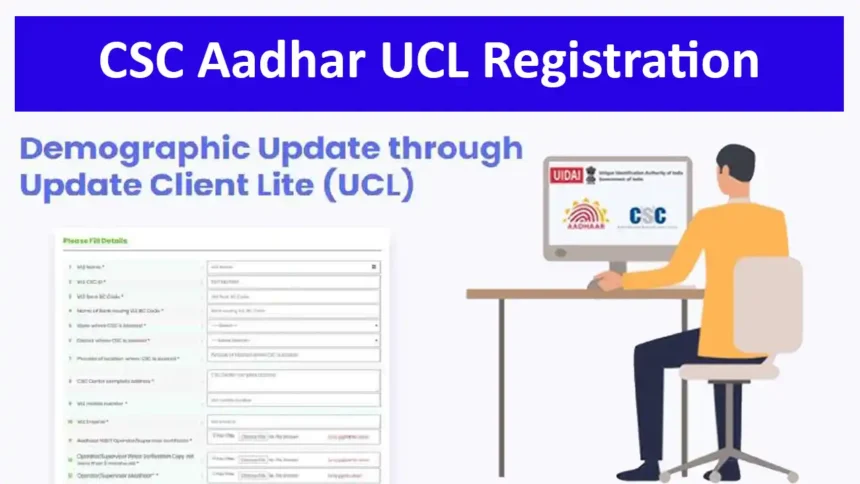
How to Get Aadhaar UCL Registration for CSC?
Complete guide to CSC Aadhaar UCL Registration, eligibility, documents, UIDAI certification, computer requirements, fingerprint device, application process, status checking and UCL software setup.
Use the official CSC UCL portal for registration and current instructions.
Aadhaar is one of the most widely used identity documents in India. Residents may need to update their Aadhaar demographic information such as Name, Address, Mobile Number and Email ID, subject to the currently permitted UIDAI update process.
UCL (Update Client Lite) is a demographic update client/software developed by UIDAI. Through UCL, an authorised CSC/VLE can assist a resident with permitted Aadhaar demographic updates.
One important advantage of CSC UCL is that, according to the CSC UCL procedure information, VLEs without Aadhaar enrolment machines can provide Aadhaar demographic update services through the Digital Seva CSC portal, subject to the applicable eligibility, authentication, approval and infrastructure requirements.
What is Aadhaar UCL?
UCL – Update Client Lite
UCL is a Demographic Update Client/Software developed by UIDAI through which a resident can update permitted demographic details such as Name, Address, Mobile Number and Email ID, according to the applicable UIDAI process.
What is CSC Aadhaar UCL Application?
CSC UCL provides an Aadhaar demographic update facility through the CSC ecosystem. The CSC UCL information states that VLEs who do not have Aadhaar enrolment machines can update residents’ Aadhaar demographic details through the Digital Seva CSC portal.
CSC UCL is designed for demographic update work and does not mean that the VLE automatically gets a complete Aadhaar enrolment machine.
The CSC UCL information specifies use of a UIDAI-authorised fingerprint authentication device, such as Morpho, for the applicable workflow.

Eligible VLEs can access the UCL service through the CSC Digital Seva ecosystem after completing the applicable process.
⚠️ Important: UCL is an Aadhaar Update Service
CSC Aadhaar UCL should not be confused with a full Aadhaar enrolment centre. UCL is primarily a demographic update client. The exact services available depend on the authorised UIDAI/CSC workflow and current rules.
What Aadhaar Details Can Be Updated Through UCL?
UCL is designed for permitted demographic Aadhaar updates. The CSC UCL procedure information specifically describes demographic fields including:
The availability of a particular update and the supporting documents/authentication required should always be checked against the current UIDAI/CSC workflow before processing a resident’s request.
CSC Aadhaar UCL Eligibility
To apply for CSC Aadhaar UCL, the VLE should satisfy the requirements applicable to the current CSC UCL registration process.
The applicable CSC Bank BC requirement should be fulfilled.
The required Aadhaar Operator/Supervisor certification should be available where applicable.
A valid/current police verification document may be required for CSC-UCL registration.
The UCL-specific minimum system requirements should be met.
A UIDAI-authorised/compatible fingerprint authentication device is required for the applicable process.
Reliable internet connectivity is required for online UCL operations.
CSC Aadhaar UCL System Requirements
One of the most important updates to this guide is the computer specification. The CSC UCL prerequisite information specifies the following minimum configuration:
| Component | Minimum Requirement |
|---|---|
| Processor | Intel Core i5, 2.0 GHz, 9th Generation or higher |
| AMD Alternative | AMD Ryzen 5, 3000 Series or higher |
| RAM | 8 GB |
| Storage | 500 GB HDD or 256 GB SSD |
| TPM | TPM 2.0 or higher |
| Operating System | Windows 10 64-bit |
Fingerprint Device for CSC Aadhaar UCL
The CSC UCL application information states that VLEs can use a single fingerprint authentication device authorised by UIDAI, such as Morpho, for the applicable UCL workflow.
Important Device Points
- Use an authorised/compatible fingerprint authentication device.
- Install the correct driver and required authentication software.
- Make sure the device is detected properly by the UCL system.
- Do not purchase a device only because it is advertised as an “Aadhaar device” by an unofficial seller.
- Always follow the current CSC/UIDAI device compatibility instructions.
Documents Required for CSC Aadhaar UCL Registration
How to Get UIDAI Aadhaar Operator/Supervisor Certificate?
If certification is required for your role, you need to meet the applicable UIDAI eligibility criteria and qualify in the UIDAI Aadhaar Operator/Supervisor certification examination through the authorised testing and certification process.
Common Educational Eligibility Routes
- 12th standard pass; or
- Two-year ITI after 10th; or
- Three-year Diploma after 10th.
Certain specified categories may have separate provisions. Always verify the latest UIDAI eligibility rules before booking the examination.
CSC Aadhaar UCL Registration Process
Once you have checked the applicable requirements, you can follow the CSC UCL registration process available through the official portal.
Open the CSC Aadhaar UCL registration website.
Use your authorised CSC Digital Seva credentials.
Open the UCL registration option available in your dashboard.
Enter your VLE information, CSC ID, Bank BC information, centre details and other requested information.
Make sure the information you submit accurately represents your certification, equipment and centre.
Carefully check every entry before submitting the form.
Complete the captcha and submit the UCL application.
How to Check Aadhaar UCL Registration Status?
- Open the official CSC Aadhaar UCL portal.
- Login using Digital Seva Connect.
- Open the UCL registration/dashboard section.
- Check the current status displayed for your application.
- If further action or verification is requested, follow the instructions provided by CSC.
CSC Aadhaar UCL Software Installation
After the applicable approval/activation process, the VLE should install the UCL client according to the latest official CSC/UIDAI instructions.
Make sure the computer meets the current UCL system requirements.
Install the appropriate authorised fingerprint device drivers.
Use the latest software package supplied through the authorised channel.
Complete the required client, operator and machine configuration.
Check fingerprint device, internet and other required peripherals.
Begin resident service only after the applicable activation/approval process is complete.
🚫 Avoid Old UCL Installation Instructions
Do not follow old online instructions containing fixed passwords, unofficial software files, old station IDs, registrar certificates or configuration files. UCL software and security procedures may change. Always use the latest authorised CSC/UIDAI instructions.
Aadhaar UCL Equipment & Kit
| Equipment | Purpose |
|---|---|
| Laptop/Computer | UCL application and client operation |
| Fingerprint Device | Resident/operator authentication as applicable |
| Internet | Online UCL connectivity |
| Printer/Scanner | Document-related requirements where applicable |
| Web Camera | Required functions where applicable |
| CCTV | Centre security where required |
| Power Backup | Uninterrupted operation |
UCL vs Full Aadhaar Enrolment Centre
| Feature | CSC UCL | Full Aadhaar Enrolment Setup |
|---|---|---|
| Primary Purpose | Demographic updates | Enrolment and authorised update activities |
| Enrolment Machine | Not required for the UCL model described by CSC | Required according to the applicable setup |
| UCL Software | Yes | Different authorised enrolment/update client as applicable |
| Fingerprint Authentication | Required for applicable authentication workflow | Required according to the authorised setup |
CSC Aadhaar UCL Support
🌐 CSC UCL Portal:
https://eseva.csccloud.in/ucl/
📄 CSC UCL Procedure:
View UCL Procedure Document
🆘 Support:
For application-specific issues, use the support information available inside the authorised CSC system or contact the appropriate CSC support/District Manager channel.
Frequently Asked Questions About CSC Aadhaar UCL
✅ CSC UCL Application Checklist
Official & Useful Links
🔹 CSC Aadhaar UCL Registration Portal
🔹 CSC UCL Procedure / Prerequisites