CSC DigiPay AEPS Banking Service for CSC VLE
Last updated: 15 October 2026 | Reading time: 8 minutes | For CSC VLEs and banking centres
CSC DigiPay is the official digital banking and payment platform of CSC e-Governance Services India Limited, built for Village Level Entrepreneurs (VLEs) running Common Service Centres. With one login a VLE can offer Aadhaar-based cash withdrawal, Micro ATM, money transfer and wallet payout, and earn a commission on every transaction. This guide covers the DigiPay web version, app download, all services, the full commission chart, payout time, charges, MATM driver and the daily cash register.
Key Takeaways
- DigiPay web version and the Android app (v10.0.8) both support AEPS, MATM, DMT, passbook and payout.
- AEPS commission starts from Rs. 100 and tops out at Rs. 11.324 net per transaction.
- DMT earns more on larger amounts, up to Rs. 30.30 net on Rs. 5,000.
- Payout is allowed from INR 500 up to INR 2 lakhs, and NEFT carries no charges.
DigiPay Web Version
The DigiPay web version is the official browser portal for CSC banking services. Open https://digipayweb.csccloud.in/ on Chrome or Edge and log in with your CSC DigiPay credentials.
How To Use The DigiPay Web Version
- Open the official DigiPay web link and log in with your ID and password.
- Complete OTP or biometric verification if asked.
- Connect your registered RD Service biometric device for Aadhaar transactions.
- Select the service from the dashboard and complete the customer transaction.
DigiPay Web Version Available Services
| Service | What It Does |
|---|---|
| Aadhaar-based AEPS | Cash Withdrawal, Cash Deposit, Balance Enquiry and Mini Statement |
| Micro ATM (MATM) | Cash Withdrawal and Balance Enquiry through Micro ATM |
| DigiPay Passbook | Real-time transaction view and wallet balance |
| Domestic Money Transfer (DMT) | Send money to bank accounts across India |
| Wallet Top-up and Payout | Add money to wallet and pay out to your bank account |
Benefits Of The Web Version
- Bigger screen for faster daily work and reconciliation.
- Real-time passbook and wallet balance check.
- Ideal for busy CSC banking points with many customers.
DigiPay app download apk
The current DigiPay app is v10.0.8. Get it from the official Google Play page: DigiPay on Google Play.
DigiPay App Installation Steps
- Open the Google Play link on your Android phone and tap Install.
- Open the app and log in with your DigiPay ID.
- Allow the required permissions and pair your biometric device or Micro ATM.
- Start AEPS, DMT or MATM services.
Web Version Vs App
| Point | Web Version | Mobile App |
|---|---|---|
| Best For | Counter work on laptop or desktop | Quick work on the move |
| Download | Not needed, open in browser | Install v10.0.8 from Google Play |
| Services | AEPS, MATM, DMT, Passbook, Payout | AEPS, MATM, DMT, Passbook, Payout |
digipay commission chart
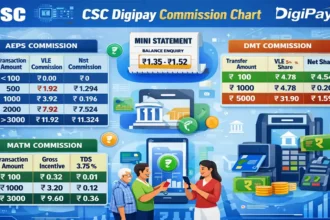
Your income as a VLE depends on the service and the transaction amount. The tables show VLE commission, TDS and the net amount you receive.
CSC Digipay AEPS Commission Table
| AEPS Transaction Amount | VLE Commission | TDS | Net VLE Commission |
|---|---|---|---|
| <100 | 0.00 | 0 | 0 |
| 100 | 0.32 | 0.016 | 0.304 |
| 200 | 0.72 | 0.036 | 0.684 |
| 300 | 1.12 | 0.056 | 1.064 |
| 400 | 1.52 | 0.076 | 1.444 |
| 500 | 1.92 | 0.096 | 1.824 |
| 600 | 2.32 | 0.116 | 2.204 |
| 700 | 2.72 | 0.136 | 2.584 |
| 800 | 3.12 | 0.156 | 2.964 |
| 900 | 3.52 | 0.176 | 3.344 |
| 1000 | 3.92 | 0.196 | 3.724 |
| 1100 | 4.32 | 0.376 | 4.104 |
| 1200 | 4.72 | 0.396 | 4.484 |
| 1300 | 5.12 | 0.256 | 4.864 |
| 1400 | 5.52 | 0.276 | 5.244 |
| 1500 | 5.92 | 0.296 | 5.624 |
| 1600 | 6.32 | 0.316 | 6.004 |
| 1700 | 6.72 | 0.336 | 6.384 |
| 1800 | 7.12 | 0.356 | 6.764 |
| 1900 | 7.52 | 0.376 | 7.144 |
| 2000 | 7.92 | 0.396 | 7.524 |
| 2100 | 8.32 | 0.416 | 7.904 |
| 2200 | 8.72 | 0.436 | 8.284 |
| 2300 | 9.12 | 0.456 | 8.664 |
| 2400 | 9.92 | 0.496 | 9.424 |
| 2500 | 9.92 | 0.496 | 9.424 |
| 2600 | 10.32 | 0.516 | 9.804 |
| 2700 | 10.72 | 0.536 | 10.184 |
| 2800 | 11.12 | 0.556 | 10.564 |
| 2900 | 11.52 | 0.576 | 10.944 |
| 3000 | 11.92 | 0.596 | 11.324 |
| >3100 | 11.92 | 0.596 | 11.324 |
CSC Digipay DMT Commission Table
| DMT Transaction Amount | VLE Share | TDS @ 5% | Net VLE Share |
|---|---|---|---|
| 100 | 4.78 | 0.24 | 4.54 |
| 500 | 4.78 | 0.24 | 4.54 |
| 1000 | 4.78 | 0.24 | 4.54 |
| 1500 | 8.17 | 0.41 | 7.76 |
| 2000 | 11.56 | 0.58 | 10.98 |
| 2500 | 14.95 | 0.75 | 14.20 |
| 3000 | 18.34 | 0.92 | 17.42 |
| 3500 | 21.73 | 1.09 | 20.64 |
| 4000 | 25.12 | 1.26 | 23.86 |
| 4500 | 28.51 | 1.43 | 27.08 |
| 5000 | 31.90 | 1.59 | 30.30 |
CSC Digipay MATM Commission Table
| Transaction Amount | Total Incentive Received | VLE Gross Incentive Share | TDS @ 3.75% | Final VLE Incentive |
|---|---|---|---|---|
| 100 | 0.40 | 0.32 | 0.01 | 0.31 |
| 500 | 2.00 | 1.60 | 0.06 | 1.54 |
| 1000 | 4.00 | 3.20 | 0.12 | 3.08 |
| 2000 | 8.00 | 6.40 | 0.24 | 6.16 |
| 3000 | 12.00 | 9.60 | 0.36 | 9.24 |
| 10000 | 12.00 | 9.60 | 0.36 | 9.24 |
Commission Examples
| Service | Amount | Net Earning |
|---|---|---|
| AEPS | Rs. 1,000 | Rs. 3.724 |
| AEPS | Rs. 2,000 | Rs. 7.524 |
| AEPS | Rs. 3,000 and above | Rs. 11.324 |
| DMT | Rs. 5,000 | Rs. 30.30 |
| MATM | Rs. 3,000 and above | Rs. 9.24 |
Simple income illustration: 50 AEPS transactions of Rs. 3,000 or more in a day give 50 x 11.324 = Rs. 566.20 net commission.
Important Points About Commission
- No AEPS commission below Rs. 100.
- AEPS commission is flat from Rs. 3,000 onwards.
- MATM incentive stops increasing after Rs. 3,000.
- TDS is deducted automatically.
- Rates may change, so confirm the latest chart in your DigiPay login.
Tips To Increase Your CSC Banking Income
- Promote higher-value withdrawals, since AEPS earnings rise up to Rs. 3,000.
- Offer DMT for customers who send money home, as the share grows with the amount.
- Keep the biometric device and internet stable to avoid failed transactions.
- Maintain a daily register to track every rupee.
csc digipay daily cash transaction register book
A banking CSC handles cash all day, so a proper daily record is essential. A cash and transaction register matches wallet balance, cash in hand and customer entries at closing time.
Why Maintain A Daily Register
- Find mistakes or missing entries quickly.
- Track daily earnings and commission.
- Settle customer disputes with proof.
- Keep cash and wallet balance in agreement.
Free Online AEPS Transaction Register
Use our ready tool: AEPS Transaction Register to record every AEPS, DMT and MATM entry digitally.
csc digipay matm driver download
The MATM driver is needed so your Micro ATM device and card PIN service work properly with DigiPay.

Driver Download Link
Download here: CSC DigiPay MATM Driver Download
Installation Tips
- Close the browser before installing.
- Connect the MATM device only after installation.
- Restart the system if the device is not detected.
- Re-login and test with a small transaction.
digipay atm machine price
The Micro ATM device is sold on CSC Bazaar. Check the live price and order here: CSC Bazaar MATM Product Page.
Things To Check Before Buying
- Buy only from the official CSC Bazaar for a genuine registered device.
- Check price, warranty and delivery details.
- Confirm the device supports DigiPay MATM service.
csc digipay payout time
Payout moves money from your DigiPay wallet to your own bank account using NEFT or IMPS.
Payout Timings
| Mode | Available Time |
|---|---|
| NEFT in DigiPay | 10 AM से 5 PM |
| IMPS in DigiPay | 10 AM से 8 PM |
Payout Service Overview
The Payout service allows users to transfer amounts from the Digipay Wallet to VLEs’ bank accounts efficiently and securely. The amount must be between the minimum of INR 500 and the maximum of INR 2 lakhs.
Payout Charges
| Mode | Amount | Charges |
|---|---|---|
| IMPS | Up to Rs. 25,000 | Rs. 5 + GST |
| IMPS | Above Rs. 25,000 | Rs. 10 + GST |
| NEFT | Any amount | No charges |
Frequently Asked Questions
Conclusion
CSC DigiPay gives every VLE a complete banking solution with AEPS, Micro ATM, DMT, passbook and payout on one platform. Know the commission chart, keep a daily register, choose the right payout mode and use only official apps and drivers to grow your CSC banking income safely.