Digital Voter ID Card Download – Quick and Easy Process for Indian Citizens
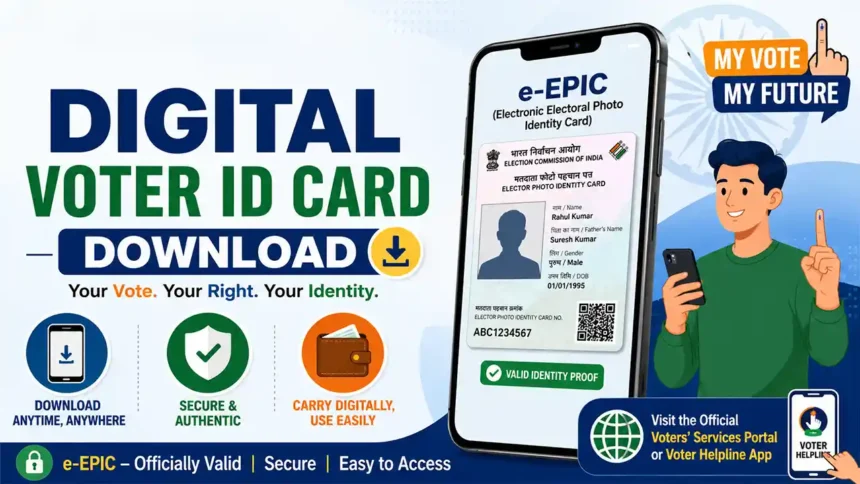
The Digital Voter ID Card, also known as e-EPIC, is very useful for new voters who have recently applied for a Voter ID card but have not yet received the physical EPIC card by post. It is also helpful for people who still use an old laminated voter card and want a modern digital version in secure PDF format. Citizens who have recently lost or damaged their Voter ID card can also download the Digital Voter ID Card Download process online without waiting for a reprinted card. The e-EPIC card is officially provided by the Election Commission of India and can be stored safely on a mobile phone, computer, or printed anytime for identity verification and voting purposes.
Contents
Digital Voter ID Card Download – Quick and Easy Process for Indian CitizensMethod 1: Download via Voters’ Services PortalStep 1: Open Official PortalStep 2: Login AccountStep 3: Verify Mobile NumberStep 4: Open e-EPIC DownloadStep 5: Download Digital Voter IDMethod 2: Download via Voter Helpline Mobile AppStep 1: Install ApplicationStep 2: Login ApplicationStep 3: Retrieve Voter DetailsStep 4: Download PDFMobile Number Not Linked? Follow These MethodsImportant InformationDigital Voter ID Card
Digital Voter ID Card Download Process (e-EPIC)
The Election Commission of India provides a Digital Voter ID Card facility known as e-EPIC. This electronic voter card is available in secure PDF format and is legally accepted as valid identity proof. Citizens can easily download the e-EPIC card using the official Voters’ Services Portal or the Voter Helpline Mobile App. The digital card can be saved directly on mobile phones, computers, or printed when required.
Method 1: Download via Voters’ Services Portal
Step 1: Open Official Portal
- Visit the official Voters’ Services Portal .
- Click on Login or Sign-Up.
Step 2: Login Account
- Enter your registered mobile number, password, and captcha code.
- New users can create an account using the Sign-Up option.
Step 3: Verify Mobile Number
- Click on Request OTP.
- Enter the OTP received on your mobile phone.
- Select Verify & Login.
Step 4: Open e-EPIC Download
- Click on the E-EPIC Download option from the dashboard.
- Select either EPIC Number or Form Reference Number.
- Choose your state and click Search.
Step 5: Download Digital Voter ID
- Check your voter details displayed on screen.
- Click Send OTP for final verification.
- Enter the OTP received on your linked mobile number.
- Click Download e-EPIC to save the PDF file.
Method 2: Download via Voter Helpline Mobile App
Step 1: Install Application
- Download the Voter Helpline App from Google Play Store or Apple App Store.
Step 2: Login Application
- Open the app and login using registered mobile number and password.
- Verify your login using OTP.
Step 3: Retrieve Voter Details
- Select Download e-EPIC option.
- Enter EPIC Number or Form Reference Number.
- Select your state and fetch details.
Step 4: Download PDF
- Click Send OTP.
- Enter the verification OTP received on your mobile.
- Tap Download to save your Digital Voter ID Card.
Mobile Number Not Linked? Follow These Methods
- If your mobile number is not linked with your Voter ID, you cannot download the e-EPIC instantly.
- You must first update or register your mobile number in electoral records.
- This can be completed through Form 8 correction process or instant facial e-KYC.
Option A: Update Mobile Number Using Form 8
- Login to the official Voters’ Services Portal.
- Click on Fill Form 8.
- Select Self option.
- Choose Correction of Entries in Existing Electoral Roll.
- Tick the Mobile Number checkbox.
- Enter your new 10-digit mobile number.
- Complete mobile OTP verification and then Aadhaar OTP verification.
- Submit the application and save the Form Reference Number.
- After approval, return to E-EPIC Download section and download your digital card.
Option B: Instant App-Based e-KYC Verification
- Open the Voter Helpline Mobile App.
- Select Download e-EPIC option.
- Search using your EPIC Number.
- If mobile number is not linked, choose e-KYC option.
- Complete live facial verification using your phone camera.
- Enter your new mobile number.
- Verify the OTP received through SMS.
- After successful verification, download the digital PDF instantly.
Important Information
| Service | Details |
|---|---|
| Document Name | Electronic Electoral Photo Identity Card (e-EPIC) |
| File Format | Secure PDF File |
| Validity | Legally Accepted Identity Proof |
| Download Platforms | Voters’ Services Portal & Voter Helpline App |
| Requirement | Linked Mobile Number Required |