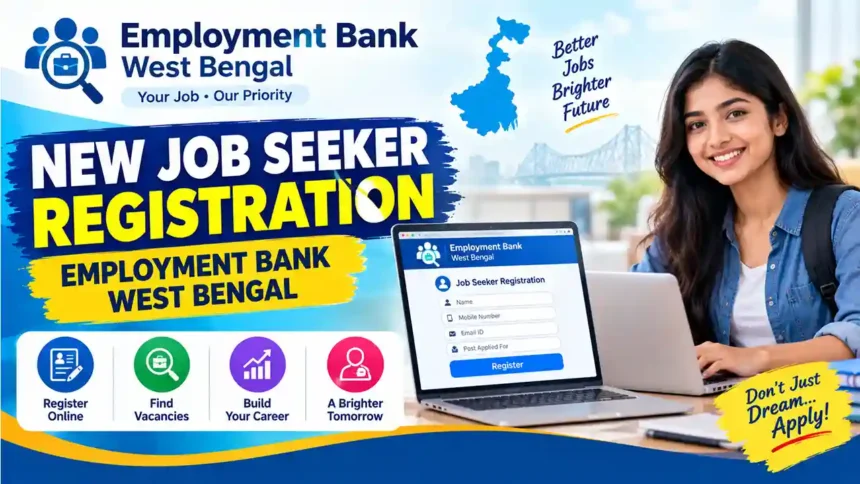
Employment Bank West Bengal Job Seeker Registration: Documents, Process & Login
Step-by-step guide to register as a job seeker on the Employment Bank West Bengal portal, with required documents, file sizes, ID and password timing, and login help.
Last updated: 18 October 2026Quick Answer
- ✓Registration on the Employment Bank portal is free.
- ✓You need a photo, signature, CV and proof of name, date of birth and residence.
- ✓After registering, your enrolment is validated by the Employment Exchange. Then your User ID and password come to your mobile and email.
- ✓Use only the official website: employmentbankwb.gov.in
Jump to:
Are You Looking for a Job?
Finding a job can take a lot of time and effort. The Employment Bank is the West Bengal Government’s own job portal, so you can put your details and resume in one place, find jobs that match your skills, and send your resume to employers. It is absolutely free.
The portal was launched on 26 July 2012 by the Labour Department with the Information Technology Department of the Government of West Bengal. Both job seekers and employers use it: job seekers can apply for jobs as per their qualification, and employers can advertise jobs and search resumes.
Who can register?
- ✓A resident of West Bengal (any district)
- ✓A job seeker who wants to enrol in the Employment Bank
- ✓Candidates with Madhyamik / 10th, 12th, graduation or technical qualifications
1. Register
Fill in your details correctly and fill as many boxes as you can.
2. Search

Browse jobs by functional area, location or industry.
3. Send Resume
Find a good match and send your resume to the employer.
New Job Seeker Registration: Required Documents
Keep these files ready on your phone or computer before you start. Files above the size limit will not upload.
| Document | File type | Size limit |
|---|---|---|
| Photograph | JPG / JPEG | Max 50 KB |
| Signature | JPG / JPEG | 10 to 15 KB |
| CV (Resume) | Max 2 MB | |
| Name & Date of Birth proof: Madhyamik (MP) Admit Card, MP Certificate, Transfer Certificate or Birth Certificate | Max 2 MB | |
| Residence proof | Max 2 MB | |
| Category certificate (SC / ST / OBC, if applicable) | Max 2 MB | |
| Physically challenged certificate (if applicable) | Max 2 MB | |
| Ex-serviceman document (if applicable) | Max 2 MB |
New Job Seeker Registration Process
Go to employmentbankwb.gov.in/enrol-jobseeker (or click New Enrolment Job Seeker on the home page) and accept the Terms and Conditions.
Enter your name, date of birth, address, mobile number and email ID exactly as on your certificates. Use a mobile number and email you can access, because your login details will be sent there.
Enter your 10th / Madhyamik (MP) or equivalent details first, then higher qualifications and experience, if any.
Upload the photo, signature, CV and proofs listed above in the correct format and size.
Check everything once and click Submit. Save or print the enrolment number / acknowledgement.
The Employment Exchange validates your enrolment. See the next sections for timing and what to carry.
Video: How to Register as a Job Seeker
Receiving User ID and Password on Mail ID: How Long Does It Take?
You do not get the User ID and password immediately after submitting the form. They are sent only after the Employment Exchange validates your registration.
- ✓Online registration is completed in real time (same day).
- ✓Validation is to be done by the Employment Exchange within 5 working days after online registration, as per the Labour Department’s Right to Public Service notification dated 31.08.2022.
- ✓After validation, the User Name and Password are sent to your mobile number and email address given in the form.
- ✓Older guidance on the portal asks job seekers to visit the nearest Employment Exchange within 30 days with all certificates in original for validation.
Employment Bank Job Seeker Login
- Open the official website employmentbankwb.gov.in.
- Click Job Seekers’ Login.
- Enter the User Name and Password you received on mobile / email, then the captcha, and sign in.
- Update your profile, search jobs and send your resume to employers.
Forgot password?
On the login page click Forgot Password, enter the email address linked to your Employment Bank account and submit. Reset instructions are sent to that email.
Forgot username?
Go to the nearest Employment Exchange with your original documents. They will help you recover the username.
Employment Bank Helpline
Email: employment_bank_wb@wb.gov.in
Phone: 033-22374602 / 033-22376300
Head office: Directorate of Employment, West Bengal, 67 Bentinck Street, Kolkata 700069
Frequently Asked Questions
Is Employment Bank registration free?
Yes. Registration and use of the portal are free for job seekers.
Who can register?
Residents of West Bengal looking for a job can enrol as a job seeker.
Can I log in right after registering?
No. You can log in only after your registration is validated and you receive your User ID and password.
What is Yuvasree?
Yuvasree is a West Bengal Government scheme launched in 2013 that gave financial assistance to job seekers enrolled in the Employment Bank so they could take up training. Its terms have changed over time, so check the current status on the official portal.
Official Sources
Reviewed on 18 October 2026. Rules and file limits can change, so confirm on the official portal.
- Employment Bank, Govt. of West Bengal (official portal)
- Employment Bank: an initiative of the Government of West Bengal (launch date, validation and credentials)
- Labour Department notification dated 31.08.2022 (time limits for registration and validation under the Right to Public Service Act)
- myScheme, Govt. of India: Yuvasree (eligibility, password recovery)
- Vikaspedia: Employment Bank and Yuvasree, West Bengal