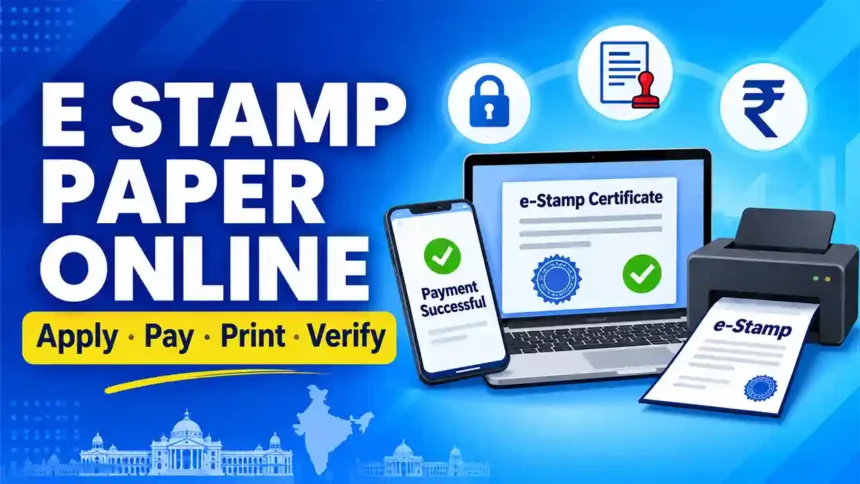
Almost everyone needs a stamp paper at some point. It might be an affidavit for a government form, a rent agreement for a new flat, or a declaration for a job or admission. Until a few years ago that meant finding a vendor, standing in a queue and hoping the paper was genuine. Today, in many states, you can pay the stamp duty from your phone and print an e-stamp certificate at home.
This guide walks you through E Stamp Paper Online from start to finish, and it also tells you honestly when the facility is not available in your state.
What is an E-Stamp Paper?
An e-stamp is the electronic form of non-judicial stamp paper. You pay the stamp duty online and the system issues a certificate in place of a printed paper from a vendor. Stock Holding Corporation of India Limited (SHCIL) acts as the Central Record Keeping Agency for this work.
Every certificate carries a unique certificate number (UIN). That number is what makes e-stamps safer than paper ones: anyone can check it online, so duplicate or fake stamps are much easier to catch.
Where people use e-stamps
The stamp value you need depends on your state and the type of document. If you are submitting the paper to an office, bank or college, ask which value they accept before you buy.
E-stamp vs traditional stamp paper
| Feature | E-Stamp | Physical Stamp Paper |
|---|---|---|
| Where to get it | Online, or at an authorised centre | Licensed vendor |
| Unique number | Yes, verifiable online | Serial number only |
| Risk of forgery | Low | Higher |
| Time taken | Minutes, where available | Depends on vendor and queue |
Is E-Stamp Available in Your State?
Check this before anything else. The online SHCIL facility works only in participating states and union territories, and the allowed document types differ. Delhi, Gujarat, Uttar Pradesh, Rajasthan, Jammu & Kashmir and Puducherry are some places where it is used. A few states run their own systems. Maharashtra, for example, uses the eSBTR payment portal instead of SHCIL.
What to Keep Ready Before You Start
1Register on the Portal
Registration is a one-time job. After this you only log in whenever you need another stamp.
- Open the official StockHolding e-stamping website (shcilestamp.com) and click Citizen Login.
- First-time users click Registration Now and choose the Individual category.
- Enter a valid email ID, create a unique user ID and password, and select a security question for account recovery.
- Save the registration form and log in with your user ID and password.
- An OTP is sent to your registered email. Enter it to complete verification.
If the email does not arrive within a few minutes, check the spam or promotions folder before trying again.
2Apply for E-Stamp Paper
- On the dashboard, click Pay Stamp Duty.
- Select your state and your delivery method: Self Printing, Home Delivery or Nearest Branch.
- Choose the non-registrable stamp duty type, for example Affidavit.
- Fill in the document purpose, party names, addresses and PAN details.
- If only one person is involved, enter the same details in both the first party and second party sections.
- Enter the stamp duty amount, such as ₹20, ₹50 or ₹100.
Which delivery option should you pick?
3Make the Payment
Review the summary and continue to payment. The portal supports UPI and net banking through the Razorpay payment gateway. Stay on the page until you see the success message and avoid pressing the back button during the transaction.
If your bank shows a debit but you see no certificate, do not pay again straight away. Note the transaction reference, log in and look under View Transaction first.
4Print the E-Stamp Certificate
- Install the software. Download and install the Print Control Proxy software from the portal.
- Connect your printer and keep it switched on.
- Print the certificate. Open the dashboard, go to View Transaction and print the official e-stamp certificate.
If you chose Home Delivery or Nearest Branch, you will receive or collect the certificate as per that option.
✓How to Verify an E-Stamp Certificate
Whether you created the stamp yourself or someone handed it to you, verification takes less than a minute.
- Go to the portal home page.
- Click Verify e-Stamp (also shown as Certificate Verification).
- Select the state where the e-stamp was issued.
- Enter the certificate number printed on the e-stamp and submit.
You can also verify using the StockHolding e-Stamping mobile app.
▶ Watch the Video Tutorial
Now that you know the steps, watch the screens in action. Keep the portal open in another tab and follow along.
Common Problems and Simple Fixes
| Problem | What to try |
|---|---|
| OTP or activation email not received | Check spam, confirm the email ID was typed correctly, then request again. |
| Certificate will not print | Install Print Control Proxy, connect the printer and restart the browser. |
| Money debited, no certificate | Check View Transaction, keep the payment reference and contact StockHolding support before paying again. |
| Mistake in a party name | Contact support or a StockHolding office. A fresh stamp may be needed. |
| Your state is not listed | Your state may use another system or only vendor stamps. Ask the local treasury or Collector office. |
Tips from experience
- Ask the receiving office which stamp value they want before you pay.
- Use only the official StockHolding address. Look-alike websites exist.
- Print soon after payment and save a PDF copy if the portal allows it.
- Verify the certificate once before taking it to a notary or office.
- A stamp only shows duty has been paid. Your document still needs signatures, and notarisation or registration where required.
People Also Ask (FAQs)
- Check whether your state supports online e-stamping before you begin.
- Register once as an Individual, then use Pay Stamp Duty for each new stamp.
- Enter names and addresses carefully, because mistakes are costly to fix.
- Install Print Control Proxy if you want to print at home.
- Verify every certificate using its unique number.
Disclaimer: This guide is for general information. Stamp duty amounts, rules and portal screens can change, so always confirm on the official StockHolding portal or with your state revenue and stamp authority.