Best Printers for CSC Centre & Cyber Café in India
A printer is not just another accessory in a CSC (Common Service Centre) — it is one of the most important tools for running your business and generating daily income. From Aadhaar-related service printouts and PAN card printouts to online exam forms, government job applications, admit cards, photocopies, document scanning, and PVC ID card printing, a reliable printer plays a major role in handling everyday customer requests. Whether you run a small CSC centre in a village or a busy digital service centre in a town, choosing the right printer can help you save time, reduce printing costs, improve customer satisfaction, and increase your earning potential.
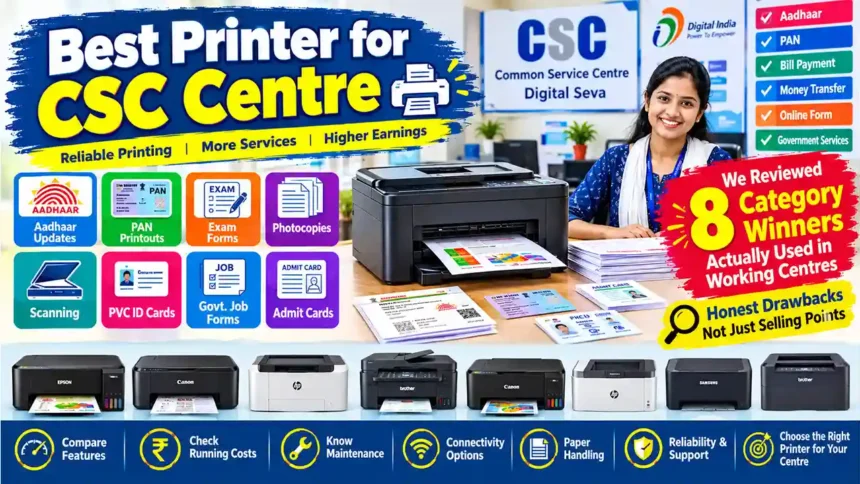
However, not every printer is suitable for every centre. Some models are better for high-volume black-and-white printing, while others are useful for colour documents, photos, or PVC card-related work with compatible equipment and materials. Factors such as printing speed, print quality, ink or toner costs, maintenance, connectivity, paper handling, and long-term reliability should all be considered before making a purchase. In this guide, we review 8 category-winning printer options for CSC centres, covering their key features, practical advantages, limitations, and suitability for different types of work. Our aim is to help you understand which printer may be the right investment for your centre, so you can choose a dependable machine based on your workload, budget, and actual business needs rather than buying a printer based on marketing claims alone.
Quick Comparison — All 8 Winners
| # | Printer | Category | Best For | Price |
|---|---|---|---|---|
| 1 | Epson EcoTank L130 | Colour Printer | Low-cost colour printing | Check on Amazon → |
| 2 | Canon PIXMA G3000 | All-in-One | Print + scan + copy on a budget | Check on Amazon → |
| 3 | HP 323sdnw | Laser Printer | High-volume B&W documents | Check on Amazon → |
| 4 | MY PRINT L11050 | A3 Printer | Notices, certificates, wide format | Check on Amazon → |
| 5 | Brother DCP-L2520D | Duplex Printer | Double-sided bulk documents | Check on Amazon → |
| 6 | MY PRINT L8050 | PVC Card Printer | 6-colour ID cards & photos | Check on Amazon → |
| 7 | PVC Card Printing Machine | Card Studio Setup | Complete ID card production | Check on Amazon → |
| 8 | HP Smart Tank 589 | WiFi Colour Printer | Fast wireless all-in-one | Check on Amazon → |
Prices on Amazon change frequently — click the button to see the current price on the product page.
1. Best Colour Printer — Epson EcoTank L130

Epson EcoTank L130
Single-function ink tank colour printer · USB
—Why it’s best for your centre
- Ultra-low running cost — ink tank prints cost roughly ₹0.10–0.20 per page versus ₹2–4 with cartridges. At 100+ prints daily, that’s the difference between profit and loss.
- Print-only, no fluff — most CSC jobs (forms, results, documents) are A4. You don’t pay for scanner hardware you may already own.
- Epson reliability — India’s #1 ink tank brand with 400+ service centres, so even small-town repairs are easy.
- Compact — fits on a small table in a 100 sq.ft. centre.
| Type | Single-function ink tank colour printer |
| Functions | Print only |
| Connectivity | USB |
| Ink yield | Up to ~4,000 pages black / 6,500 colour per refill set |
| Cost per page | Approx. 10–20 paise |
| Warranty | 1 year (as listed) |
- Lowest cost-per-page colour in its class
- Cheap ink bottles, available in every small-town market
- Spill-free, easy refilling
- Proven in lakhs of Indian offices
- No Wi-Fi — USB only
- No scanner or copier
- Moderate speed (~10 ipm draft) — not for 500-page exam rushes
- Document-grade colour, not photo-grade for PVC cards
Verdict: The highest-ROI colour printer for a new centre on a tight budget — especially if you already own a scanner.
2. Best All-in-One — Canon PIXMA G3000

Canon PIXMA G3000
All-in-one ink tank colour printer · Wi-Fi + USB · 4.1★ from 13,000+ ratings
—Why it’s best
- Print + Scan + Copy in one box — the CSC trifecta: document scans for uploads, photocopies, and prints from a single machine.
- Wi-Fi built in — customers send print jobs from their phones; no cables across the counter.
- Canon G-series tank economics — about ₹0.13 black / ₹0.24 colour per page.
- Massively field-proven — one of India’s most-owned ink tank all-in-ones.
| Functions | Print, Scan, Copy |
| Resolution | Up to 4800 × 1200 dpi print / 600 × 1200 dpi flatbed scan |
| Connectivity | Wi-Fi, USB |
| Ink yield | ~6,000 black / 7,000 colour pages per refill set |
| Warranty | 1 year |
- One machine covers the entire counter workflow
- Wi-Fi + Canon PRINT app mobile printing
- Aftermarket ink available everywhere
- Any local technician knows this machine
- No ADF — multi-page scans flipped by hand
- No auto-duplex
- Modest speed — exam-season queues will test patience
- Colour inks can dry if unused for weeks
Verdict: The best “one machine does everything” starter for a new centre.
3. Best Laser Printer — HP 323sdnw

HP 323sdnw Auto Duplex Wi-Fi Laser Printer
Monochrome laser MFP · Print/Scan/Copy · ADF · 30 ppm
—Why it’s best
- 30 pages per minute — fastest on this list. In a café where ₹2/page xerox is bread-and-butter, speed directly means more customers served per hour.
- Auto duplex + ADF — double-sided printing runs automatically; multi-page stacks scan hands-free through the top feeder.
- Wi-Fi + USB — network-ready for multi-PC café setups.
- HP 181A toner — successor to the legendary 12A; sharp text, easy refills, huge duty cycle.
| Speed | Up to 30 ppm |
| Functions | Print, Scan, Copy (mono) |
| Duplex / ADF | Auto duplex / Yes |
| Memory | 256 MB |
| Tray | 250-sheet input, 100-sheet output |
| Connectivity | Wi-Fi, USB 2.0 · LCD display |
| Warranty | 1 year |
- Fastest document throughput here
- Auto duplex halves paper cost on long jobs
- ADF makes multi-page copy/scan hands-free
- Toner never dries or clogs when idle
- Monochrome only — no colour or PVC cards
- Higher upfront cost (~₹23,000)
- Toner purchases are ₹3,000–5,000 each
- Heavy (~14 kg) — needs a sturdy table
Verdict: If volume B&W documents are your bread-and-butter, this is the workhorse that never keeps customers waiting.
4. Best A3 Printer — MY PRINT L11050

MY PRINT L11050 — A3 Wide-Format Ink Tank Printer
A3/A3+ colour printing · Print, Scan, Copy · Wi-Fi
Check price on Amazon →—Why it’s best
- True A3 / A3+ support — most centres can’t print big notices, tenders, maps or certificates. A3 prints sell at ₹10–25 vs ₹2 for A4 — instant differentiation.
- Ink tank economics — A3 laser printers cost ₹40,000+; this brings wide-format service into a new café’s budget.
- Photo-grade colour — good for banners, certificate borders and quality colour output.
| Max paper size | A3, A3+ |
| Functions | Print, Scan, Copy (ADF, auto duplex, Wi-Fi/network as listed) |
| Resolution | Up to 4800 × 1200 dpi |
| Connectivity | Wi-Fi, USB |
- Premium A3 service most cafés can’t offer
- Wide-format commands premium pricing
- Wi-Fi convenience
- Tank running costs apply even at A3 sizes
- Duplex is manual on A3 sizes
- Big and heavy — needs a dedicated wide table
- Thinner service network than big brands — check seller support first
- One A3 colour page uses ~4× the ink of A4
Verdict: A niche killer — if local schools, businesses or panchayats need A3 notices and certificates, this machine creates a revenue stream ordinary cafés simply can’t match.
5. Best Duplex Printer — Brother DCP-L2520D

Brother DCP-L2520D
Monochrome laser MFP · Auto duplex · 30 ppm · ID copy button
Check price on Amazon →—Why it’s best
- Automatic double-sided printing — halves your paper cost, the single biggest consumable expense in a café.
- 30 ppm laser speed for high-volume document days.
- 2-in-1 ID copy button — one press puts both sides of an Aadhaar/PAN/ID on one page. A genuine CSC workflow feature.
- Long-term reliability — users report years of daily invoice/document printing without breakdowns.
| Functions | Print, Scan, Copy (mono) |
| Duplex | Automatic |
| Speed | Up to 30 ppm |
| Memory / Tray | 32 MB / 250 sheets |
| Connectivity | USB · LCD display |
| Warranty | 1 year |
- Auto duplex = 50% paper saving on double-sided jobs
- One-press 2-in-1 ID copy
- 250-sheet tray — fewer reload interruptions
- Sharp output that meets govt-document standards
- USB only — no Wi-Fi/Ethernet for multi-PC cafés
- No ADF — page-at-a-time scanning
- Monochrome only
- Brother’s service network is thinner than HP/Canon/Epson — check your nearest service point
Verdict: The paper-saving specialist. Pair it with an ink tank for colour and it runs all your high-volume B&W + ID-copy work at the lowest total paper cost.
6. Best PVC Card Printer — MY PRINT L8050

MY PRINT L8050 — 6-Colour PVC Card Printer
A4 photo printer + inkjet PVC card printing · Wi-Fi · 6 inks included
Check price on Amazon →—Why it’s best
- 6-colour ink system — standard 3-colour printers struggle with skin tones; six colours produce genuinely photo-realistic ID cards, which is exactly what customers judge your card service on.
- Direct PVC card support — works with inkjet-printable PVC cards used for Aadhaar-style PVC, college IDs and membership cards.
- Huge margin service — materials cost ₹5–15 per card; cards sell for ₹50–150. Few CSC services beat this margin.
- Doubles as an A4 photo printer — extra revenue from passport photos and print orders.
| Functions | Print (A4 photo + inkjet PVC cards) |
| Colours | 6 (CMYK + photo colours) |
| Connectivity | Wi-Fi, USB |
| Included | 6 colour inks (as listed) |
- Professional card & photo quality
- Two revenue streams: cards + photos
- Wi-Fi convenience
- Ready to earn on day one (ink included)
- Single function — no scan/copy
- Best results need a laminator (see #7)
- Six bottles to manage and refill
- Not a volume document printer
Verdict: Your profit-machine add-on. Once documents are covered, PVC card service on this 6-colour printer is the fastest way to raise per-customer revenue.
7. PVC Card Printing Machine — Complete Card Studio

PVC Card Printing Machine
Complete card production setup — print, laminate and finish ID cards
Check price on Amazon →—Why you need it
- All-in-one card production — printing + lamination/finishing for durable, professional cards in one purchase.
- Parallel services — card orders stop occupying your main document printer; both counters run at once.
- Bigger card menu — Aadhaar-style PVC, school/college IDs, gym memberships, loyalty and visiting cards.
- Complete card pipeline in one machine
- Card + document services run simultaneously
- Finished laminated cards look genuinely professional
- Expands your service menu
- Needs dedicated bench space and power
- Learning curve for card software/settings
- Recurring consumables to stock (cards, pouches)
- Confirm the exact bundled accessories on the Amazon page — bundles vary
Verdict: Buy when card orders become a regular weekly stream. Until then, #6 alone can start your card service.
8. Best WiFi Colour Printer — HP Smart Tank 589

HP Smart Tank 589 All-in-One
Smart Tank all-in-one · 30 ppm black / 24 ppm colour · Wi-Fi, Wi-Fi Direct, Bluetooth
Check price on Amazon →—Why it’s best
- Fastest ink tank here — 30 ppm black / 24 ppm colour keeps queues short.
- Full wireless freedom — Wi-Fi, Wi-Fi Direct, Bluetooth, USB + HP Smart app; self-healing Wi-Fi keeps connections stable.
- ~6,000 pages of ink in the box — months of operation before the first refill.
- HP’s service network — the widest in India; crucial for small towns.
| Functions | Print, Scan, Copy (+ ID copy) |
| Speed | 30 ppm black / 24 ppm colour |
| Resolution | Up to 1200 × 1200 dpi |
| Duty cycle | Up to 3,000 pages/month |
| Connectivity | Wi-Fi, Wi-Fi Direct, Bluetooth, USB |
| Warranty | 1 year |
- Fastest all-in-one ink tank on this list
- Every connectivity option available
- 6,000 pages of ink included upfront
- Best brand service coverage in small towns
- No auto duplex — manual re-feeding
- No ADF — page-at-a-time scanning
- Pricier than the Canon G3000 for similar core functions
- Occasional first-time Wi-Fi setup hiccups (fixable via HP Smart app)
Verdict: If you want one modern, fast, wireless all-in-one with no compromise on speed or connectivity — this is the premium pick, with manual duplex as the trade-off.
Which One Should YOU Buy First?
| Your situation | Buy this |
|---|---|
| New centre, tight budget, document focus | #1 Epson L130 or #2 Canon G3000 |
| Heavy daily B&W volume, queues every day | #3 HP 323sdnw |
| Schools/businesses need notices & certificates | #4 MY PRINT L11050 (A3) |
| Long double-sided documents daily | #5 Brother DCP-L2520D |
| Want high-margin PVC ID card service | #6 MY PRINT L8050 (+ #7 later) |
| One fast modern wireless machine for everything | #8 HP Smart Tank 589 |
💡 Pro Strategy: The 2-Machine Setup
Most successful CSC centres run two printers, not one:
1. A laser for volume B&W (#3 or #5) — fast, cheap per page, never clogs.
2. An ink tank for colour, photos & PVC cards (#2, #6 or #8) — quality colour at tank prices.
When one machine is down for service, the other keeps the counter running — zero income days, the quiet fear of every VLE.
Frequently Asked Questions
Q:Ink tank or laser for a CSC centre?
Both. Laser for high-volume black-and-white (forms, photocopies); ink tank for colour, photo and PVC work. If only one fits the budget now, start with an all-in-one ink tank (#2 or #8) and add a laser as volume grows.
Q:Why is cost-per-page so important?
At ₹2/page selling price and 100 pages/day, a cartridge printer (₹2–4/page cost) leaves you almost nothing. A tank printer (₹0.10–0.25/page) keeps ~₹1.75 of every ₹2 — over a year that’s a ₹60,000+ difference on the same footfall.
Q:Are MY PRINT printers reliable? They’re cheaper than Epson/HP.
They offer strong features-per-rupee (A3, 6-colour, PVC support at budget prices), but big brands have denser service networks. Check the seller’s warranty terms and your nearest service options before buying. For mission-critical daily machines, brand-name models (#1, #2, #3, #5, #8) are the safer bet.
Q:Do I really need auto duplex?
If you regularly print 20+ page documents, yes — it halves paper cost and labour. For occasional double-sided jobs, manual re-feeding is tolerable.
Disclosure: As an Amazon Associate, Online Tech Samadhan Store earns from qualifying purchases. Prices and availability change frequently — the price on Amazon is always the current one. Product specifications are as listed by sellers on Amazon.in; verify key specs on the product page before ordering.