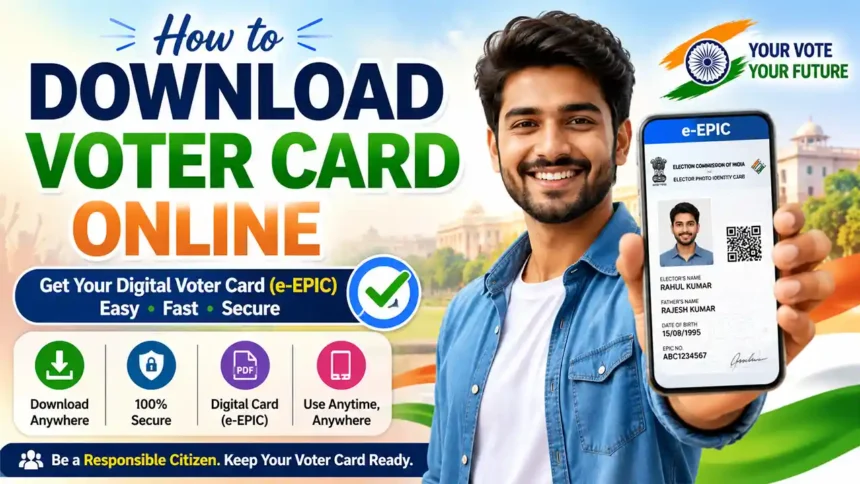
How to Download Voter Card Online in India (e-EPIC)
Easy Step-by-Step Guide Using Mobile Number or After Updating Mobile Number
What is e-EPIC?
e-EPIC is the digital version of your Voter ID Card. You can download it online and keep it safely on your mobile phone, computer, or print it whenever needed.
Two Ways to Download Voter Card Online
Download Voter Card using your already linked mobile number.
First update your mobile number, then download your Voter Card.
Things Required
- Voter ID Number (EPIC Number) or Reference Number
- Linked Mobile Number or New Mobile Number
- Aadhaar Card (if required for identity verification)
- Aadhaar Linked Active Mobile Number (for OTP verification if applicable)
- Smartphone, Laptop or Computer
- Good Internet Connection
- Voter Helpline Mobile App or Voters Portal
Method 1: Download Voter Card Using Linked Mobile Number
Step 1
Open the official Voters Portal on your browser.
Step 2
Login using your registered mobile number and password.
Step 3
Enter the OTP received on your registered mobile number.
Step 4
Go to the e-EPIC Download section.
Step 5
Enter your EPIC Number and Select State.
Step 6
Verify OTP which will be sent to your Pre Register Mobile Number.
Step 7
Click on Download e-EPIC.

Step 8
Your digital Voter Card will be downloaded in PDF format.
Method 2: Update Mobile Number Then Download Voter Card
If your mobile number is not linked with your voter record, you may need to update it first.
Step 1
Visit the official Voters Portal.
Step 2
Login or create a new account.
Step 3
Choose Form 8 to follow entering your voter details.
Step 4
Update your Aadhaar Number and Mobile Number with tick the box.
Step 5
Submit The Form using Mobile Otp and Aadhaar OTP.
Step 6
Wait few Munits to successfully updated your mobile number.
Step 7
Then Go to Download e-EPIC Section.
Step 8
Enter Your EPIC Number and State Name
Step 9
An OTP will send Your Register Mobile Number.
Step 10
Download your e-EPIC Voter Card.
Download Using Voter Helpline App
- Install the Voter Helpline App.
- Open the app.
- Login using your mobile number.
- Verify OTP.
- Open the e-EPIC section.
- Enter EPIC Number.
- Verify your details.
- Download your Voter Card.
Common Problems and Solutions
| Problem | Solution |
|---|---|
| OTP Not Received | Wait for a few minutes and try again. |
| Wrong Mobile Number | Update your mobile number first. |
| EPIC Number Not Found | Check the number carefully. |
| Unable to Login | Reset your password or register again. |
Important Tips
- Use only the official Voters Portal or Voter Helpline App.
- Keep your registered mobile number active.
- Enter your EPIC Number carefully.
- Keep your Aadhaar Card ready if identity verification is required.
- Do not share OTP with anyone.
- Always download your Voter Card using a secure internet connection.
Video Tutorial
Watch the complete video tutorial to learn how to download your Voter ID Card (e-EPIC) online step by step.
Frequently Asked Questions (FAQs)
Can I download my Voter Card online?
Yes, eligible voters can download their digital e-EPIC online.
Is Aadhaar Card compulsory?
Keep your Aadhaar Card ready if required during verification.
Can I use my downloaded Voter Card?
Yes, the downloaded e-EPIC can be saved on your phone or printed.
What if my mobile number is not linked?
Update your mobile number first and then download your Voter Card.
Can I use the Voter Helpline App?
Yes. The Voter Helpline App also allows eligible users to access voter-related services.
Conclusion
Downloading your Voter Card online is easy if your mobile number is already linked with your voter record. If it is not linked, update your mobile number first and then download your digital e-EPIC. Keep your EPIC Number, mobile number, Aadhaar Card, and internet connection ready before starting. Always use the official Voters Portal or Voter Helpline App for safe and secure services.