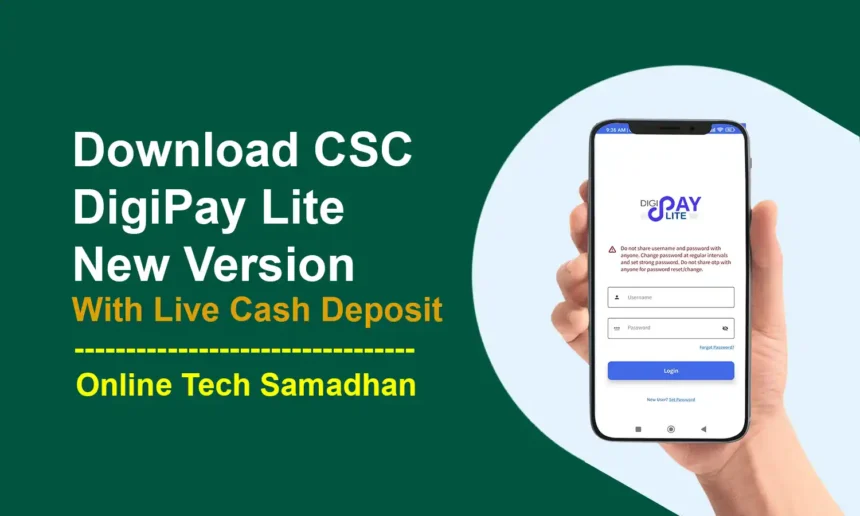
Download CSC DigiPay Lite Latest Version APK
Last updated: 15 October 2026 | Reading time: 7 minutes | For CSC VLEs and banking centres
DigiPay Lite is the lightweight CSC banking platform where a VLE can offer AEPS, MATM, UPI Cash Point, DMT and Aadhaar Pay from one place. In this guide you will get Download DigiPay Lite Latest Version APK links, the web URL for PC, the complete KYC process, MATM installation, the commission chart and fixes for common errors.
DigiPay Lite Available Services
Through DigiPay Lite, users can access the following services:
| Service | Category |
|---|---|
| Aadhaar-Based Payment (AEPS) | Aadhaar banking |
| Cash Withdrawal | Aadhaar banking |
| Cash Deposit | Aadhaar banking |
| Mini Statement | Aadhaar banking |
| MATM Cash Withdrawal | Micro ATM |
| UPI Cash Point | UPI |
| Digital Money Transfer (DMT) | Money transfer |
| Aadhaar Pay | Aadhaar payment |
DigiPay Lite for PC
DigiPay Lite New WEB URL: digipaylite.in
How To Use DigiPay Lite On PC
- Open Google Chrome and visit digipaylite.in.
- Log in with your User ID (01 + CSC ID) and password.
- Connect your biometric or MATM device and start the service.
CSC DigiPay Lite APK Latest Version Download
Download the CSC DigiPay Lite APK latest version from the links below. Each service has its own app link.
| App | Service | Official Link |
|---|---|---|
| DigiPay Lite App | Main app | Download |
| DigiPay Lite App AEPS Service | AEPS | Download |
| DigiPay Lite App Cashout Service | Cashout | Download |
| DigiPay Lite App DMT Service | DMT | Download |
| DigiPay Lite App mATM Service | mATM | Download |
| DigiPay Lite KYC Service | KYC | Download |
DigiPay Lite KYC Process
Here is the process for DigiPay Lite onboarding KYC verification:
Step By Step KYC Process
- Download and install the DigiPay Lite mobile application.
- Log in with your User ID (add 01 before your CSC ID) and Password.
- If you do not have the password, reset it first.
- After login you will be prompted to complete KYC.
- Enter your basic details.
- Capture a clear photo of the front side of your original PAN card.
- Capture a clear front and back photo of your original Aadhaar card.
- Take a selfie in proper light without wearing a cap or mask.
- Capture a photo of your CSC shop.
- Submit the KYC application.
KYC Approval Time
Once the documents are successfully verified, the retailer is approved to use the app for transactions. Within 72 hours your KYC details will be verified and approved. If the status is still pending, contact support or generate a ticket with a screenshot.
Documents Needed For KYC
- Original PAN card
- Original Aadhaar card (front and back)
- Selfie without cap or mask
- Photo of your CSC shop
DigiPay Lite KYC Video Tutorial
MATM Installation Process
To run MATM service on DigiPay Lite, follow our detailed guide: DigiPay MATM Installation Process.
CSC DigiPay Lite Commission Chart
DigiPay Lite Commission Structure
| AEPS Slabs | Merchant Sharing | Final Commission After 5% TDS Deduction |
|---|---|---|
| 1 – 199 | 0 | 0 |
| 200 – 400 | 0.4% | 0.38% |
| 401 – 1000 | 0.34% | 0.32% |
| 1001 – 1700 | 0.34% | 0.32% |
| 1701 – 2199 | 0.34% | 0.32% |
| 2200 – 2999 | 0.34% | 0.32% |
| 3000 and Above | 10.2 | 9.69 |
| Mini Statement | 1.6 | 1.52 |
DigiPay Lite MATM Commission
| Transaction Amount | VLE Commission |
|---|---|
| 100 | 0.32 |
| 500 | 1.6 |
| 1000 | 3.2 |
| 2000 | 6.4 |
| 3000 and Above | 9.6 |
DigiPay Lite DMT Commission Structure
| DMT Transaction Amount | VLE Commission After TDS Deduction |
|---|---|
| 100 – 1000 | 4.78 |
| 1001 – 1500 | 8.17 |
| 1501 – 2000 | 11.56 |
| 2001 – 2500 | 14.95 |
| 2501 – 3000 | 18.34 |
| 3001 – 3500 | 21.73 |
| 3501 – 4000 | 25.12 |
| 4001 – 4500 | 28.51 |
| 4501 – 5000 | 31.90 |
Common Issue and Solution
DigiPay Lite Device Not Ready Error?
- Uninstall all drivers and install the latest version.
- Open Google Chrome and type
chrome://flagsin the address bar. - Search for Allow invalid certificates for resources loaded from localhost.
- Enable it if it is disabled, then relaunch Chrome and try again.
How to Refund DigiPay Lite DMT Failed Transaction?
If a DMT transaction fails, first check the status before trying again, so the customer is not sent money twice.

- Open the transaction report or passbook in DigiPay Lite and check the status of the transaction.
- Wait for the system to update the status, as many failed or pending transactions are reversed automatically.
- If the amount is not returned, raise a ticket with support and attach a screenshot showing the transaction ID, amount, date and status.
- Keep the customer’s receipt until the refund is confirmed.
Frequently Asked Questions
Conclusion
DigiPay Lite brings AEPS, MATM, UPI Cash Point, DMT and Aadhaar Pay together for CSC VLEs. Download the app only from the official links, complete KYC carefully, and use the commission chart to plan your daily earnings.